
Showing all 7 results
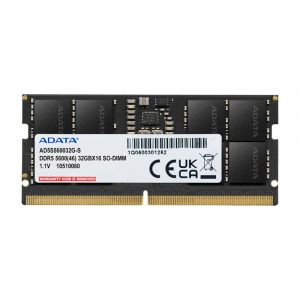
- Original price was: ₹70,760.₹55,729Current price is: ₹55,729. (Inclusive of GST) Brand: Adata Add to cart
- Original price was: ₹39,800.₹27,999Current price is: ₹27,999. (Inclusive of GST) Brand: Adata Add to cart
- Original price was: ₹67,400.₹51,649Current price is: ₹51,649. (Inclusive of GST) Brand: Adata Add to cart
- Original price was: ₹26,720.₹14,199Current price is: ₹14,199. (Inclusive of GST) Brand: Adata Add to cart
- Original price was: ₹70,760.₹55,749Current price is: ₹55,749. (Inclusive of GST) Brand: Adata Add to cart
- Original price was: ₹27,080.₹14,349Current price is: ₹14,349. (Inclusive of GST) Brand: Adata Add to cart
- Original price was: ₹71,160.₹53,349Current price is: ₹53,349. (Inclusive of GST) Brand: Kingston Add to cart
Showing all 7 results
Why Buy Your DDR5 Laptop RAM from Ezpz Solutions?
We aren’t just a generic online tech catalog we are dedicated PC builders offering comprehensive Doorstep PC & Laptop Services right here in Mumbai. Upgrading a modern, high-end laptop is incredibly stressful; they are densely packed, feature fragile plastic clips, and often have strict memory compatibility limits. That is why we offer hands-on, local support to guarantee your premium laptop upgrade is safe, fast, and flawless.
Doorstep Laptop Installation in Mumbai: Terrified of prying open your expensive new gaming laptop and accidentally damaging the motherboard? We offer complete Home PC Assembly and Installation, alongside Home PC Parts Upgrades and Testing, across Mumbai and nearby areas. Our technicians will bring your new DDR5 RAM directly to your door, safely open your laptop chassis, install the SO-DIMM modules, and verify that the system successfully passes memory training.
Compatibility & Soldered Memory Checks: Not every modern laptop can be upgraded! Many premium thin-and-light notebooks have their DDR5 permanently soldered to the motherboard. Before you buy, our Mumbai team will verify your exact laptop model to ensure it features accessible SO-DIMM slots, and we will check its maximum supported memory speed (e.g., 4800MHz vs 5600MHz) so you never waste money on incompatible parts.
Complete System Health: Since we are already opening your laptop chassis, it is the perfect time for essential thermal maintenance. Alongside hardware upgrades, our technicians offer Home PC Troubleshooting & Repair, and both Home PC Normal Cleaning and Home PC Deep Cleaning services. We will carefully clean the dust out of your laptop’s heatsinks to prevent thermal throttling and drastically improve performance.
100% Genuine & Warrantied: Every DDR5 SO-DIMM module we sell is 100% genuine and backed by a full official Indian warranty, giving you premium peace of mind for your mobile workstation.
Frequently Asked Questions:
Can I upgrade my older DDR4 laptop with new DDR5 RAM?
No. DDR5 and DDR4 memory are completely physically incompatible. A DDR5 SO-DIMM laptop memory stick has its connection notch in a different location than a DDR4 stick. You cannot force DDR5 RAM into a laptop designed for DDR4. You must buy the exact generation of memory that your specific laptop motherboard was manufactured to support.
Why does my new DDR5 laptop RAM run at a lower speed than advertised?
If you purchase a blazing-fast 5600MHz or 6400MHz DDR5 kit, it must be fully supported by your laptop’s specific processor. If your laptop’s CPU memory controller is strictly capped at 4800MHz (which is common on some entry-level processors), the motherboard will automatically downclock your new DDR5 sticks to match that maximum limit to maintain system stability. Always check your laptop processor’s max RAM speed before buying!
Do laptops support XMP or EXPO for DDR5?
Usually, no. Unlike desktop motherboards, the vast majority of standard laptops do not have an unlocked BIOS that allows you to enable XMP or EXPO overclocking profiles. Therefore, it is crucial to buy JEDEC-standard DDR5 SO-DIMMs (like those offered by Crucial) that are programmed to natively run at their advertised speed without requiring you to tweak BIOS settings. (Note: Some ultra-high-end enthusiast gaming laptops are the exception to this rule).
Should I buy one 32GB stick or two 16GB sticks?
While DDR5 architecture is unique because it features two smaller sub-channels on a single stick, you should still always install two identical sticks (e.g., a 32GB kit containing two 16GB modules) whenever possible. Installing memory in pairs provides a massive bandwidth advantage and will yield significantly better gaming frame rates and multitasking speeds than using a single massive stick.
