
Showing all 15 results
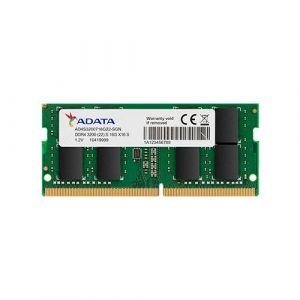
- Original price was: ₹9,999.₹6,149Current price is: ₹6,149. (Inclusive of GST) Brand: Adata Add to cart
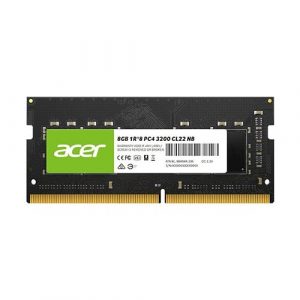
- Original price was: ₹12,500.₹5,449Current price is: ₹5,449. (Inclusive of GST) Brand: Acer Add to cart
- Original price was: ₹28,200.₹12,199Current price is: ₹12,199. (Inclusive of GST) Brand: Adata Add to cart
- Original price was: ₹12,380.₹3,399Current price is: ₹3,399. (Inclusive of GST) Brand: Adata Add to cart
- Original price was: ₹16,920.₹6,649Current price is: ₹6,649. (Inclusive of GST) Brand: Adata Add to cart
- Original price was: ₹28,920.₹13,899Current price is: ₹13,899. (Inclusive of GST) Brand: Adata Add to cart
- Original price was: ₹48,840.₹30,999Current price is: ₹30,999. (Inclusive of GST) Brand: Adata Add to cart
- Original price was: ₹18,840.₹6,749Current price is: ₹6,749. (Inclusive of GST) Brand: Adata Add to cart
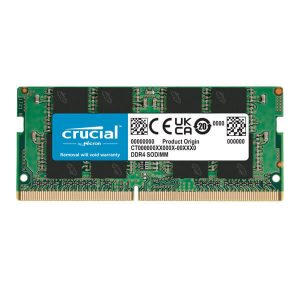
- Original price was: ₹18,400.₹5,899Current price is: ₹5,899. (Inclusive of GST) Brand: Crucial Add to cart
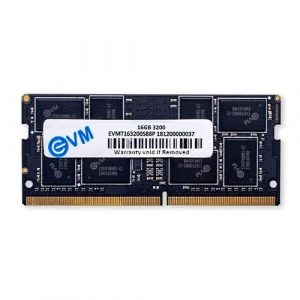
- Original price was: ₹26,492.₹9,649Current price is: ₹9,649. (Inclusive of GST) Brand: EVM Add to cart
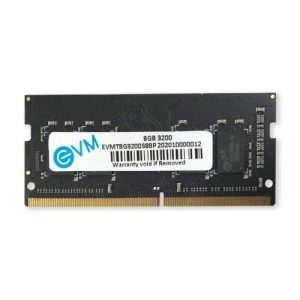
- Original price was: ₹15,904.₹4,949Current price is: ₹4,949. (Inclusive of GST) Brand: EVM Add to cart
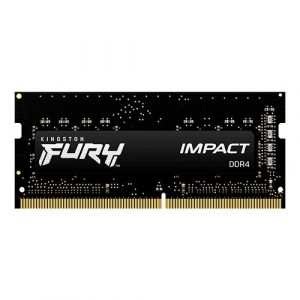
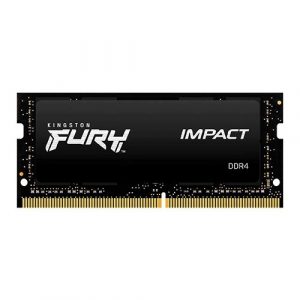
- Original price was: ₹23,999.₹14,949Current price is: ₹14,949. (Inclusive of GST) Brand: Kingston Add to cart
- Original price was: ₹49,999.₹32,249Current price is: ₹32,249. (Inclusive of GST) Brand: Kingston Add to cart
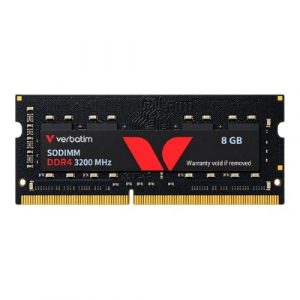
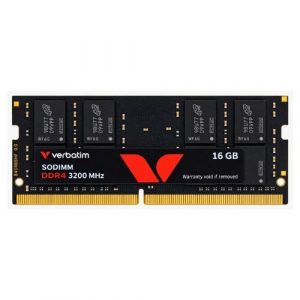
- Original price was: ₹17,599.₹5,599Current price is: ₹5,599. (Inclusive of GST) Brand: Verbatim Add to cart
- Original price was: ₹31,999.₹11,099Current price is: ₹11,099. (Inclusive of GST) Brand: Verbatim Add to cart
Showing all 15 results
Why Buy Your DDR4 Laptop RAM from Ezpz Solutions?
We aren’t just a generic online tech catalog we are dedicated PC builders offering comprehensive Doorstep PC & Laptop Services right here in Mumbai. Upgrading laptop memory can be incredibly intimidating; modern laptops feature fragile plastic chassis clips, delicate ribbon cables, and sometimes confusing memory limits. That is why we offer hands-on, local support to guarantee your laptop upgrade is safe, fast, and completely stress-free.
Doorstep Laptop Installation in Mumbai: Terrified of prying open your laptop and accidentally shorting the motherboard or snapping a hinge clip? We offer complete Home PC Assembly and Installation, alongside Home PC Parts Upgrades and Testing, across Mumbai and nearby areas. Our technicians will bring your new DDR4 RAM directly to your door, safely open your laptop chassis, install the SO-DIMM modules, and verify that Windows recognizes the new speed and capacity.
Compatibility & Max Capacity Checks: Not every laptop can be upgraded to 32GB or 64GB. Older DDR4 laptops often have strict maximum capacity limits imposed by the motherboard. Before you buy, our Mumbai team will verify your exact laptop model’s maximum supported RAM and ensure the speed (like 2666MHz or 3200MHz) perfectly matches your processor’s limits so you never waste money on incompatible parts.
Complete System Health: Since we are already opening your laptop chassis, it is the perfect time for essential thermal maintenance. Alongside hardware upgrades, our technicians offer Home PC Troubleshooting & Repair, and both Home PC Normal Cleaning and Home PC Deep Cleaning services. We will carefully clean the dust out of your laptop’s cooling fans to prevent thermal throttling and drastically improve performance.
100% Genuine & Warrantied: Every DDR4 SO-DIMM module we sell is 100% genuine and backed by a full official Indian warranty, giving you premium peace of mind for your mobile workstation.
Frequently Asked Questions:
Can I upgrade my older DDR4 laptop with new DDR5 RAM?
No. DDR generations are absolutely not cross-compatible. A DDR4 SO-DIMM slot on a laptop motherboard is physically wired and notched specifically for DDR4 memory. A DDR5 stick will not fit into the slot. You must upgrade your laptop using the exact generation of memory it was originally designed for.
Will desktop DDR4 RAM fit into my laptop?
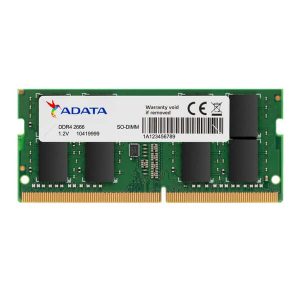
No. Desktop computers use standard DIMM (Dual In-Line Memory Module) sticks, which are physically very long. Laptops utilize SO-DIMM (Small Outline DIMM) sticks, which are roughly half the length to fit inside tight mobile chassis. You must buy memory specifically labeled as “Laptop RAM” or “SO-DIMM.”
How do I know if my laptop’s RAM is soldered?
Many thin-and-light laptops (like ultrabooks and budget student laptops) have their DDR4 memory permanently soldered directly to the motherboard to save physical space, making them impossible to upgrade. However, thicker business laptops and almost all gaming laptops feature accessible SO-DIMM slots. You can check your laptop’s official spec sheet online for “upgradable memory slots,” or simply ask our local Mumbai team to verify your model before purchasing!
Which DDR4 laptop speed should I buy: 2666MHz or 3200MHz?
It depends entirely on your processor!
If you have an older processor (like an Intel 8th, 9th, or 10th Gen), your laptop is likely capped at 2666MHz or 2933MHz.
If you have a slightly newer processor (like an Intel 11th/12th Gen or AMD Ryzen 4000/5000 series), your system can fully utilize the maximum standard DDR4 speed of 3200MHz.
Note: If you buy a 3200MHz stick and put it into an older laptop, it will usually still work, but the motherboard will automatically slow the stick down to its maximum supported speed (e.g., 2666MHz).
