
Showing all 6 results
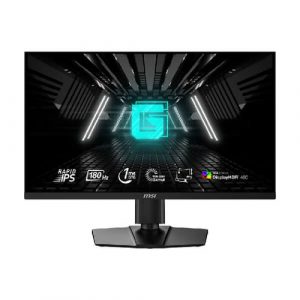
- Original price was: ₹36,999.₹19,909Current price is: ₹19,909. (Inclusive of GST) Brand: Msi Add to cart
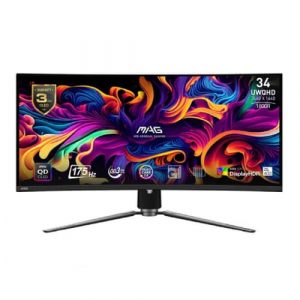
- Original price was: ₹142,999.₹71,769Current price is: ₹71,769. (Inclusive of GST) Brand: Msi Add to cart
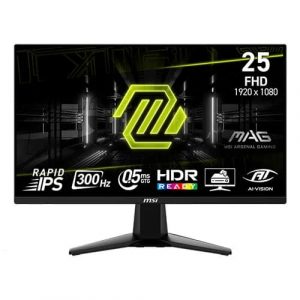
- Original price was: ₹20,999.₹12,969Current price is: ₹12,969. (Inclusive of GST) Brand: Msi Add to cart
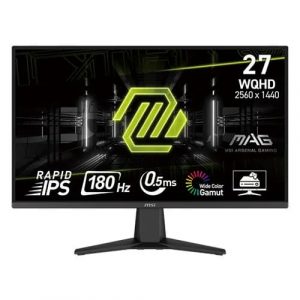
- Original price was: ₹22,999.₹15,469Current price is: ₹15,469. (Inclusive of GST) Brand: Msi Add to cart
- Original price was: ₹164,999.₹75,969Current price is: ₹75,969. (Inclusive of GST) Brand: Msi Add to cart
- Original price was: ₹29,000.₹18,969Current price is: ₹18,969. (Inclusive of GST) Brand: Msi Add to cart
Showing all 6 results
Why Buy Your Gaming Monitor from ezpz solutions?
We aren’t just a generic online tech catalog—we are a dedicated PC building business run by gamers, offering comprehensive onsite services right here in Mumbai. Buying an incredibly fast 240Hz OLED monitor is pointless if Windows is still locked to 60Hz or if you are using the wrong display cable. That is why we offer hands-on, expert local support to guarantee you actually get the elite performance you paid for.
Refresh Rate & Driver Calibration: It is the most common mistake in PC gaming! Our Mumbai team will ensure your new gaming display is plugged directly into your graphics card via DisplayPort (not the motherboard!). We will dive into Windows and the NVIDIA/AMD Control Panel to unlock your maximum refresh rate and enable G-Sync or FreeSync for flawlessly smooth, tear-free gaming.
Reclaiming Mousepad Space (VESA Mounting): Competitive gamers play on very low mouse sensitivities, requiring massive mousepads. The giant, aggressive factory stands on gaming monitors often get in the way of your mouse hand. Our technicians will safely remove the bulky stand and mount your display to a heavy-duty gas-spring VESA arm, allowing you to angle the screen perfectly while freeing up 100% of your desk space for massive flicks.
OLED Setup & Burn-In Prevention: Investing in a cutting-edge 2026 QD-OLED or WOLED gaming monitor? We will properly configure Windows Auto-HDR for blindingly bright highlights in-game, and activate the monitor’s built-in “Pixel Cleaning” and screen-shift features to ensure your premium OLED panel stays completely safe from burn-in during long sessions.
100% Genuine & Dead-Pixel Free: When you are tracking a target across the map, a dead pixel is highly distracting. Every gaming monitor we sell is 100% genuine, factory-sealed, and delivered safely by our local team, eliminating the risk of receiving a cracked screen from careless courier shipping.
Frequently Asked Questions:
What refresh rate (Hz) do I actually need for gaming?
Refresh rate dictates how many frames per second (FPS) your monitor can actually display.
144Hz / 165Hz: The absolute minimum for modern PC gaming. This is a massive, life-changing leap over standard 60Hz screens, perfect for gamers who play a mix of shooters and single-player story games.
240Hz: The high-end standard. Incredibly smooth motion clarity, ideal for players who take competitive games (like Valorant, Apex Legends, or Warzone) seriously.
360Hz to 540Hz: Extreme enthusiast tier. Designed exclusively for professional esports players where a 2-millisecond advantage determines who wins the tournament.
Should I buy an OLED or IPS gaming monitor?
Fast IPS: The traditional gold standard. IPS panels are incredibly bright, have excellent colors, and are very affordable. They are the best choice for 90% of gamers and carry absolutely zero risk of screen burn-in.
OLED: The ultimate, premium gaming experience. OLED panels have a near-instant 0.03ms response time (meaning zero motion blur) and infinite contrast (perfect, inky blacks). Games look breathtakingly cinematic. However, they are significantly more expensive and require slight care to prevent static UI elements from burning in over years of use.
What is G-Sync and FreeSync, and do I need them?
Yes, you absolutely want them enabled! When your graphics card produces frames faster or slower than your monitor’s refresh rate, the image on the screen physically tears in half horizontally (known as “Screen Tearing”). NVIDIA G-Sync and AMD FreeSync are Variable Refresh Rate (VRR) technologies that force the monitor and the graphics card to talk to each other, synchronizing their speeds perfectly. This results in incredibly smooth gameplay without any tearing or input lag.
What is the best resolution for a Gaming Monitor?
It depends on your PC’s graphics card!
1080p (FHD): Best for 24-inch monitors and ultra-competitive esports gamers who want the absolute highest frame rates possible.
1440p (2K QHD): The undisputed “sweet spot” for 27-inch monitors. It looks vastly sharper than 1080p, and modern mid-range graphics cards (like an RTX 4070) can easily run games at high frame rates in 1440p.
4K (UHD): Best for massive 32-inch monitors. Offers the most stunning, detailed graphics possible, but requires an incredibly expensive, high-end graphics card (like an RTX 4080 or 4090) to maintain smooth frame rates.
