
Showing all 2 results
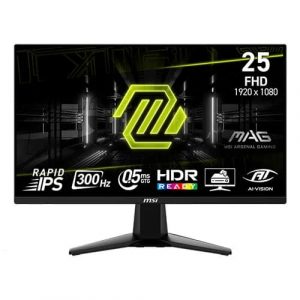
- Original price was: ₹20,999.₹12,969Current price is: ₹12,969. (Inclusive of GST) Brand: Msi Add to cart
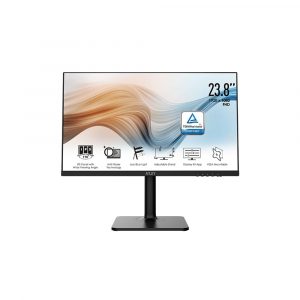
- Original price was: ₹20,999.₹12,879Current price is: ₹12,879. (Inclusive of GST) Brand: Msi Add to cart
Showing all 2 results
Why Buy Your 24-inch / 25-inch Monitor from ezpz solutions?
We aren’t just a generic online tech catalog we are a dedicated PC building business offering comprehensive onsite services right here in Mumbai. Buying an incredibly fast 240Hz or 360Hz gaming monitor is useless if Windows is still locked to 60Hz. Furthermore, setting up two 24-inch screens so they align perfectly without an ugly gap is incredibly frustrating. That is why we offer hands-on, expert local support to guarantee your display setup is flawless.
Esports Refresh Rate Calibration: Did you know most high-refresh-rate monitors default to 60Hz out of the box? Our Mumbai team will ensure your new 24-inch gaming display is plugged directly into your graphics card via DisplayPort, properly configure your Windows display settings to unlock its maximum speed (144Hz, 240Hz, or beyond), and enable G-Sync or FreeSync for tear-free gaming.
Onsite Dual-Monitor VESA Mounting: Upgrading to a dual 24-inch setup for streaming or coding? We offer complete onsite hardware installation across Mumbai. Our technicians will safely remove the bulky factory stands, mount both screens to a heavy-duty dual-arm VESA gas-spring mount, and perfectly align the bezels so your mouse glides seamlessly between the two displays.
Color & Brightness Matching: If you are buying two monitors, there is always a slight variance in factory color calibration. Our experts will manually adjust the RGB values, contrast, and brightness on both screens so they look completely identical side-by-side, entirely eliminating the headache of mismatched displays.
100% Genuine & Dead-Pixel Free: When you are holding a pixel-perfect angle in a competitive shooter, a dead pixel near the center of the screen is a disaster. Every 24-inch and 25-inch display we sell is 100% genuine, factory-sealed, and backed by the manufacturer’s official warranty.
Frequently Asked Questions:
Why do professional esports players only use 24-inch or 25-inch monitors?
It all comes down to Field of View (FOV) and reaction time! On a massive 27-inch or 32-inch screen, your eyes physically cannot see the edges of the monitor while staring at the center crosshair. If an enemy appears in the corner, you have to move your eyeballs or turn your neck, which takes precious milliseconds. A 24-inch screen fits perfectly within human peripheral vision, allowing a player to monitor the mini-map, ammo count, and full battlefield simultaneously without ever breaking focus from the center of the screen.
Is 1080p (FHD) a good resolution for a 24-inch monitor?
Yes, it is the absolute perfect resolution for this size. Because the 24-inch physical panel is relatively compact, the 1920×1080 pixel grid is tightly packed together, resulting in excellent pixel density (PPI). Text will look incredibly sharp, and games will look crisp. Furthermore, running games at 1080p allows your graphics card to push massive frame rates (often 300+ FPS), which is exactly what you need to utilize a high-refresh-rate monitor.
Should I buy a 144Hz, 240Hz, or 360Hz monitor?
It depends entirely on your PC’s power and the games you play!
144Hz / 165Hz: The ultimate “sweet spot.” Perfect for gamers who play a mix of competitive shooters and beautiful, single-player AAA games.
240Hz / 360Hz+: Exclusively for ultra-competitive gamers playing highly optimized esports titles like Valorant, CS2, or Overwatch. To benefit from a 360Hz monitor, your PC must be powerful enough to generate 360 frames per second in-game.
Are two 24-inch monitors better than one large 34-inch Ultrawide?
For pure office productivity, streaming, and coding, two 24-inch monitors are often better. Dual monitors allow you to easily “snap” applications to full screen on one monitor while dedicating the entire second monitor to something else (like keeping Discord, OBS, or a spreadsheet open). An Ultrawide screen requires you to manually manage window sizes, and screen-sharing a massive Ultrawide on a Zoom call or Twitch stream can severely distort the aspect ratio for your viewers.
