
Showing all 15 results
- Original price was: ₹43,000.₹23,529Current price is: ₹23,529. (Inclusive of GST) Brand: Msi Add to cart
- Original price was: ₹25,000.₹12,469Current price is: ₹12,469. (Inclusive of GST) Brand: Msi Add to cart
- Original price was: ₹36,999.₹19,909Current price is: ₹19,909. (Inclusive of GST) Brand: Msi Add to cart
- Original price was: ₹20,999.₹11,669Current price is: ₹11,669. (Inclusive of GST) Brand: Msi Add to cart
- Original price was: ₹35,999.₹17,069Current price is: ₹17,069. (Inclusive of GST) Brand: Msi Add to cart
- Original price was: ₹142,999.₹71,769Current price is: ₹71,769. (Inclusive of GST) Brand: Msi Add to cart
- Original price was: ₹20,999.₹13,569Current price is: ₹13,569. (Inclusive of GST) Brand: Msi Add to cart
- Original price was: ₹20,999.₹12,969Current price is: ₹12,969. (Inclusive of GST) Brand: Msi Add to cart
- Original price was: ₹22,999.₹15,469Current price is: ₹15,469. (Inclusive of GST) Brand: Msi Add to cart
- Original price was: ₹81,360.₹25,869Current price is: ₹25,869. (Inclusive of GST) Brand: Msi Add to cart
- Original price was: ₹164,999.₹75,969Current price is: ₹75,969. (Inclusive of GST) Brand: Msi Add to cart
- Original price was: ₹30,999.₹13,069Current price is: ₹13,069. (Inclusive of GST) Brand: Msi Add to cart
- Original price was: ₹20,999.₹12,879Current price is: ₹12,879. (Inclusive of GST) Brand: Msi Add to cart
- Original price was: ₹32,699.₹18,469Current price is: ₹18,469. (Inclusive of GST) Brand: Msi Add to cart
- Original price was: ₹29,000.₹18,969Current price is: ₹18,969. (Inclusive of GST) Brand: Msi Add to cart


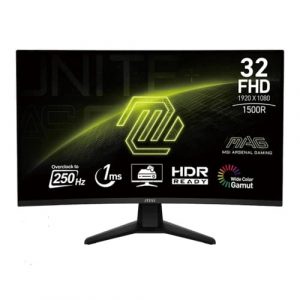
Showing all 15 results
Why Buy Your Properly Sized Monitor from ezpz solutions?
We aren’t just a generic online tech catalog we are a dedicated PC building and hardware business offering comprehensive onsite services right here in Mumbai. Buying a massive 34-inch or 43-inch monitor online is risky if you aren’t sure it will actually fit on your desk. Furthermore, mounting these incredibly heavy screens to a VESA arm is a two-person job. That is why we offer hands-on, local support to guarantee your new display perfectly complements your workspace.
Desk Clearance & Viewing Distance Experts: If you sit too close to a massive 32-inch screen, you will have to physically turn your head to see the edges, causing massive fatigue. Before you buy, our Mumbai team will help you calculate your exact desk depth and viewing distance to recommend the absolute safest and most comfortable monitor size for your specific workspace.
Onsite VESA Mounting in Mumbai: Upgrading to a massive ultrawide monitor to clear up desk space? We offer complete onsite hardware installation across Mumbai. Our technicians will safely unbox your massive new screen, securely mount it to a heavy-duty gas-spring VESA arm, and perfectly route your display cables so your monitor appears to float effortlessly above your desk.
Dual & Triple Monitor Alignment: If you are buying two 24-inch or 27-inch monitors for a multi-screen setup, getting the bezels perfectly aligned and color-matched can be incredibly frustrating. We will handle the entire multi-monitor setup for you, tweaking the color profiles so both screens look identical and configuring Windows to seamlessly stretch across both displays.
100% Genuine & Safe Delivery: Massive monitors are incredibly prone to cracking during transit. Every screen we sell is 100% genuine, factory-sealed, and delivered safely by our local team, entirely eliminating the risk of receiving a monitor that has been destroyed in shipping.
Frequently Asked Questions:
What is the most popular monitor size for PC gaming?
The undisputed “sweet spot” for modern PC gaming is the 27-inch monitor. A 27-inch screen is large enough to be incredibly immersive, but small enough that competitive gamers can see the entire screen without having to turn their heads. Crucially, 27 inches is the absolute perfect physical size for a 1440p (2K) resolution, offering incredibly sharp, crystal-clear graphics without requiring a massively expensive graphics card to run.
Are bigger monitors always better?
No, absolutely not! Bigger monitors require a much deeper desk. If you buy a massive 32-inch or 43-inch monitor but only have a shallow 50cm desk, the screen will be too close to your face. You will be able to see individual pixels (making the image look blurry), and you will strain your eyes and neck trying to look at the corners. You must match the monitor size to your viewing distance.
How does Monitor Size relate to Resolution?
As the physical size of the monitor increases, the resolution (number of pixels) must also increase to keep the image looking sharp (this is called Pixel Density or PPI).
22″ to 24″: 1080p (FHD) looks perfectly sharp.
27″: 1440p (2K QHD) is highly recommended. 1080p starts to look slightly blurry.
32″ and above: 4K (UHD) is practically required. If you buy a 32-inch 1080p monitor, the text will look extremely pixelated and blocky.
Can one 34-inch Ultrawide monitor replace two 24-inch monitors?
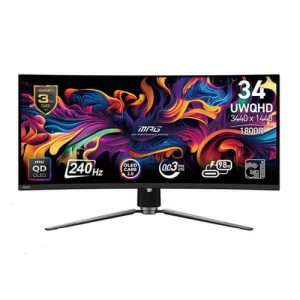
Yes! That is exactly what they are designed for. A 34-inch Ultrawide monitor (which uses a 21:9 aspect ratio instead of the standard 16:9) gives you roughly the same screen real estate as two standard monitors sitting side-by-side, but without the annoying plastic bezels running down the middle of your vision. It is the ultimate choice for video editors and heavy multitaskers.
