
Showing 1–16 of 52 results
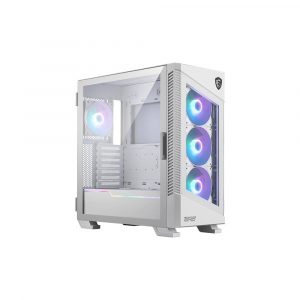
- Original price was: ₹13,999.₹8,439Current price is: ₹8,439. (Inclusive of GST) Brand: Msi Add to cart
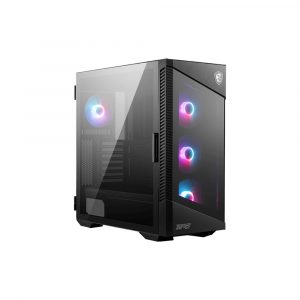
- Original price was: ₹12,099.₹8,439Current price is: ₹8,439. (Inclusive of GST) Brand: Msi Add to cart
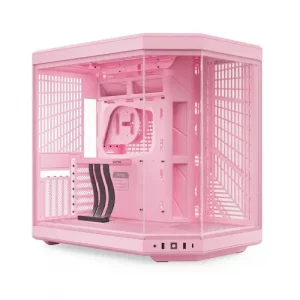
- Original price was: ₹69,999.₹45,599Current price is: ₹45,599. (Inclusive of GST) Brand: Hyte Add to cart
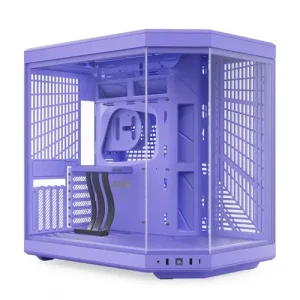
- Original price was: ₹29,999.₹21,949Current price is: ₹21,949. (Inclusive of GST) Brand: Hyte Add to cart
- Original price was: ₹29,999.₹21,949Current price is: ₹21,949. (Inclusive of GST) Brand: Hyte Add to cart
- Original price was: ₹69,999.₹45,599Current price is: ₹45,599. (Inclusive of GST) Brand: Hyte Add to cart
- Original price was: ₹69,999.₹42,949Current price is: ₹42,949. (Inclusive of GST) Brand: Hyte Add to cart
- Original price was: ₹69,999.₹45,599Current price is: ₹45,599. (Inclusive of GST) Brand: Hyte Add to cart
- Original price was: ₹18,999.₹13,579Current price is: ₹13,579. (Inclusive of GST) Brand: Hyte Add to cart
- Original price was: ₹18,999.₹13,579Current price is: ₹13,579. (Inclusive of GST) Brand: Hyte Add to cart
- Original price was: ₹18,999.₹12,979Current price is: ₹12,979. (Inclusive of GST) Brand: Hyte Add to cart
- Original price was: ₹24,999.₹16,979Current price is: ₹16,979. (Inclusive of GST) Brand: Hyte Add to cart
- Original price was: ₹29,999.₹21,939Current price is: ₹21,939. (Inclusive of GST) Brand: Hyte Add to cart
- Original price was: ₹29,999.₹21,939Current price is: ₹21,939. (Inclusive of GST) Brand: Hyte Add to cart
- Original price was: ₹3,999.₹3,049Current price is: ₹3,049. (Inclusive of GST) Brand: Msi Add to cart
- Original price was: ₹15,999.₹10,579Current price is: ₹10,579. (Inclusive of GST) Brand: Msi Add to cart

Showing 1–16 of 52 results
Why Buy Your Mid Tower Cabinet from ezpz solutions?
We aren’t just a generic online tech catalog we are a dedicated PC building business offering comprehensive onsite services right here in Mumbai. Upgrading to a new mid-tower case means completely dismantling your old PC and rebuilding it from scratch. Squeezing thick power cables behind the motherboard tray so the glass panel closes flat is a frustrating art form. That is why we offer hands-on, local support to guarantee your case swap is completely stress-free.
Onsite PC Assembly & Case Swaps in Mumbai: Tired of your components suffocating in an old, hot cabinet? We offer complete onsite PC building and hardware installation across Mumbai. Our technicians will safely transplant your expensive motherboard, processor, and graphics card into your beautiful new mid-tower, expertly route your cables for maximum airflow, and ensure your system boots with significantly improved thermals.
The “Back-Connect” & BTF Experts: The newest trend in PC building is hidden-cable motherboards (like ASUS BTF or MSI Project Zero), where all power cables plug into the back of the motherboard. If you are upgrading to this ultra-clean standard, our Mumbai team will verify that your chosen mid-tower case has the specific specialized cutouts required to support it.
Dual-Chamber Cable Management: Moving to a panoramic glass dual-chamber case? Because the power supply is hidden behind the motherboard, the rear chamber can quickly turn into a tangled nightmare of wires. Our experts specialize in pristine cable management, tightly zip-tying your RGB fan hubs and thick braided cables so both the front and the back of your PC look flawless.
System Repairs & Deep Cleaning: A high-airflow mid-tower requires massive intake fans, which act as magnets for dust. Alongside case upgrades, we offer comprehensive PC repairs and onsite deep cleaning. We will safely blast the suffocating dust out of your case filters, heatsinks, and graphics card to restore your PC’s airflow to factory-new levels.
Frequently Asked Questions:
Will an extreme graphics card (like an RTX 4090 or 5090) fit in a Mid Tower?
Usually yes, but you must check the measurements! Modern graphics cards have become absolutely massive. While premium mid-towers are specifically designed to accommodate long GPUs (often supporting lengths up to 400mm or 430mm), installing a front-mounted liquid cooling radiator can sometimes eat into that clearance. Always check the case’s spec sheet for the “Maximum GPU Length” before purchasing, or ask our expert team to verify the clearance for you.
What is the difference between a Standard and a Dual-Chamber Mid Tower?
Standard Mid Tower: The traditional design. The power supply sits in a hidden “basement” at the very bottom of the case. Air flows from the front mesh panel directly to the back exhaust. They are narrower and fit easily on smaller desks.
Dual-Chamber Mid Tower: The modern panoramic aesthetic (popularized by cases like the Lian Li O11 or NZXT H9). The case is physically wider because the power supply and all cables are hidden in a completely separate chamber behind the motherboard. This allows the entire front and side to be solid glass, providing a stunning “fishbowl” view of your components.
Can a Mid Tower fit a 360mm Liquid Cooler?
Almost all modern mid-tower cases support at least one 360mm AIO liquid cooler. However, where it fits is the most important factor. Many mid-towers support a 360mm radiator at the front (as an intake), but only support a smaller 240mm radiator at the top (as an exhaust) due to motherboard VRM clearance. If you specifically want to top-mount a massive 360mm cooler, you must carefully check the case specifications to ensure top-mount 360mm support.
Are “Back-Connect” motherboards supported in all Mid Towers?
No! If you are buying a modern “hidden-cable” motherboard (like ASUS BTF, MSI Project Zero, or Gigabyte Stealth), you must buy a PC cabinet specifically advertised as “Back-Connect Compatible.” These cases feature special extended cutouts on the motherboard tray that allow you to plug your thick power cables directly into the rear of the motherboard. If you put a BTF motherboard in a standard case, the cables will hit the metal tray and you will not be able to mount it.
