
Showing all 6 results
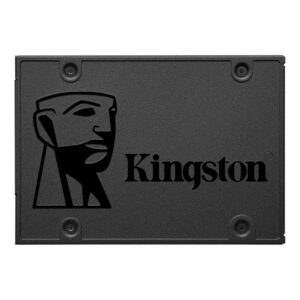
- Original price was: ₹25,000.₹14,569Current price is: ₹14,569. (Inclusive of GST) Brand: Kingston Add to cart
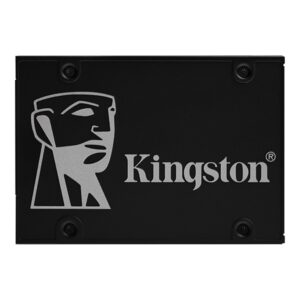
- Original price was: ₹28,000.₹17,159Current price is: ₹17,159. (Inclusive of GST) Brand: Kingston Add to cart
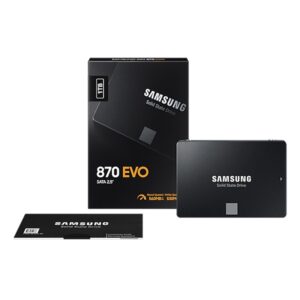
- Original price was: ₹54,669.₹32,029Current price is: ₹32,029. (Inclusive of GST) Brand: Samsung Add to cart
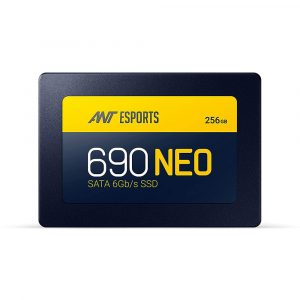
- Original price was: ₹6,500.₹3,719Current price is: ₹3,719. (Inclusive of GST) Brand: Ant Esports Add to cart
- Original price was: ₹39,999.₹20,219Current price is: ₹20,219. (Inclusive of GST) Brand: Samsung Add to cart
- Original price was: ₹200,000.₹158,449Current price is: ₹158,449. (Inclusive of GST) Brand: Samsung Add to cart
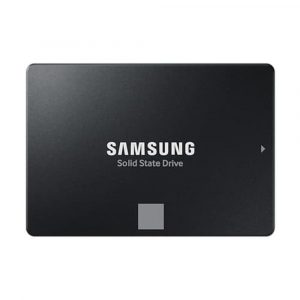
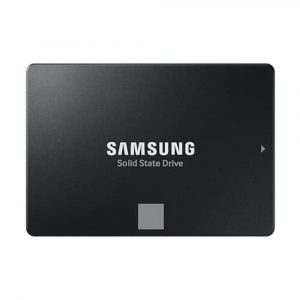
Showing all 6 results
Why Buy Your SATA SSD from Ezpz Solutions?
We aren’t just a generic online tech catalog we are dedicated PC builders offering comprehensive Doorstep PC & Laptop Services right here in Mumbai. Upgrading an older hard drive is often terrifying for users because their family photos, business documents, and operating system are on the line. That is why we offer hands-on, local support to guarantee your storage upgrade is completely safe, seamless, and stress-free.
Doorstep OS Cloning & HDD Replacement in Mumbai: Sick of waiting ten minutes for your PC to boot, but terrified of losing your files or spending hours reinstalling Windows? We offer complete Home PC Assembly and Installation, alongside Home PC Parts Upgrades and Testing, across Mumbai and nearby areas. Our technicians will safely install your new SATA SSD and perform a bit-by-bit clone of your old hard drive. You get your exact same PC back, just infinitely faster.
Older System Compatibility Experts: While standard 2.5-inch SATA SSDs fit perfectly into desktop PCs, some modern thin-and-light laptops no longer have the physical space for them. Before you buy, our Mumbai team will verify your exact PC or laptop specifications to ensure a 2.5-inch drive is the correct fit for your chassis.
Complete System Health & Deep Cleaning: Sluggish older PCs are usually choking on years of dust. Since we are already opening your chassis to swap the drive, it is the perfect time for essential maintenance. Alongside hardware upgrades, our technicians offer Home PC Troubleshooting & Repair, and both Home PC Normal Cleaning and Home PC Deep Cleaning services. We will clean your cooling fans and ensure your older processor doesn’t overheat.
100% Genuine & Data Secure: Fake SSDs that corrupt your data are rampant in the budget storage market. Every single SATA SSD we sell is 100% genuine, factory-sealed, and backed by a full official Indian warranty.
Frequently Asked Questions:
Is a SATA SSD really that much better than a traditional HDD?
Yes. It is a night-and-day difference. Traditional Hard Disk Drives (HDDs) use a mechanical metal arm to read data off a spinning magnetic disk—a technology that is decades old. SATA SSDs (Solid State Drives) use modern flash memory chips with zero moving parts. Even a budget SATA SSD is generally 4 to 5 times faster than a standard hard drive. Upgrading to an SSD is the single most noticeable performance upgrade you can ever give to an older computer.
Can I put a 2.5-inch SATA SSD in both a desktop and a laptop?
Yes! The 2.5-inch form factor is the industry standard.
For Desktops: They easily mount into the drive bays of virtually any PC case made in the last 20 years.
For Laptops: They fit perfectly into the hard drive bays of older, thicker laptops. (Note: Many newer, ultra-thin laptops only use M.2 NVMe sticks and no longer have the physical space for a blocky 2.5-inch drive).
Do I need special cables to connect a SATA SSD to my PC?
No! That is the best part about upgrading. A 2.5-inch SATA SSD uses the exact same two cables (a SATA Data cable connecting to the motherboard, and a SATA Power cable connecting to the power supply) as your old mechanical hard drive. If you are replacing an old desktop hard drive, you simply unplug those two cables from the old drive and plug them directly into the new SSD.
Is it worth putting a SATA SSD into a 10-year-old computer?
Absolutely. If your older computer is primarily used for web browsing, watching YouTube, checking emails, or basic office work, it likely doesn’t need a new processor; it is just being choked to death by a dying mechanical hard drive. Dropping an affordable SATA SSD into a 10-year-old machine will make it boot up instantly and feel like a brand-new computer for everyday tasks.
