
Showing 17–24 of 24 results
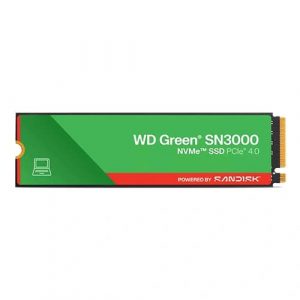
- Original price was: ₹12,500.₹11,799Current price is: ₹11,799. (Inclusive of GST) Brand: Western Digital (WD) Add to cart
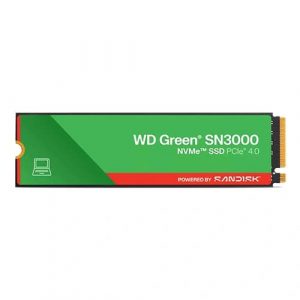
- Original price was: ₹20,000.₹17,939Current price is: ₹17,939. (Inclusive of GST) Brand: Western Digital (WD) Add to cart
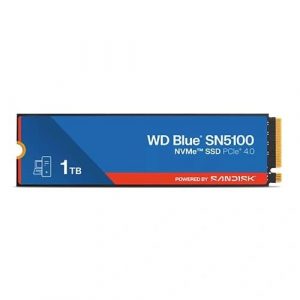
- Original price was: ₹39,000.₹30,209Current price is: ₹30,209. (Inclusive of GST) Brand: Western Digital (WD) Add to cart
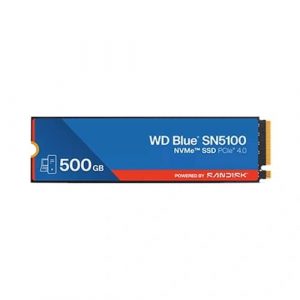
- Original price was: ₹13,000.₹10,169Current price is: ₹10,169. (Inclusive of GST) Brand: Western Digital (WD) Add to cart
- Original price was: ₹20,000.₹14,629Current price is: ₹14,629. (Inclusive of GST) Brand: Western Digital (WD) Add to cart
- Original price was: ₹39,600.₹23,669Current price is: ₹23,669. (Inclusive of GST) Brand: Western Digital (WD) Add to cart
- Original price was: ₹21,000.₹16,649Current price is: ₹16,649. (Inclusive of GST) Brand: Western Digital (WD) Add to cart
- Original price was: ₹10,900.₹10,649Current price is: ₹10,649. (Inclusive of GST) Brand: Western Digital (WD) Add to cart
Showing 17–24 of 24 results
Why Buy Your Gen4 NVMe SSD from Ezpz Solutions?
We aren’t just a generic online tech catalog we are dedicated PC builders offering comprehensive Doorstep PC & Laptop Services right here in Mumbai. Upgrading your primary storage drive is intimidating because your personal data and operating system are on the line. That is why we offer hands-on, local support to guarantee your storage upgrade is completely safe, seamless, and stress-free.
Doorstep OS Cloning in Mumbai: Want to upgrade your sluggish old boot drive to a blazing-fast Gen4 SSD, but terrified of losing your files or spending hours reinstalling Windows? We offer complete Home PC Assembly and Installation, alongside Home PC Parts Upgrades and Testing, across Mumbai and nearby areas. Our technicians will safely install your new drive and perform a precise, bit-by-bit clone of your old OS. You get your exact same PC back, just infinitely faster.
The PS5 & PC Thermal Experts: Gen4 NVMe SSDs run hot under heavy gaming loads. If they overheat, they will throttle their speeds. We ensure your new drive is properly cooled, whether that means utilizing your motherboard’s built-in M.2 armor shields or installing a premium aftermarket heatsink so your drive maintains maximum speed.
Motherboard Lane Configuration: Many motherboards have multiple M.2 slots, but often only the top slot (closest to the CPU) supports full PCIe 4.0 speeds. Our Mumbai team will correctly configure your hardware to ensure your new Gen4 drive isn’t accidentally bottlenecked by a slower chipset slot.
100% Genuine & Data Secure: The market is flooded with fake SSDs that corrupt your data. Every single NVMe SSD we sell is 100% genuine, factory-sealed, and backed by a full official Indian warranty to protect your most valuable digital assets.
Frequently Asked Questions:
Should I buy a Gen4 SSD or spend more for a Gen5 SSD?
For 95% of PC gamers and everyday users, Gen4 is the absolute smartest purchase. While Gen5 drives offer extreme speeds (14,000+ MB/s), they are significantly more expensive and generate massive amounts of heat. In real-world gaming, booting Windows, and everyday application loading, the difference between a high-end Gen4 drive (7,500 MB/s) and a Gen5 drive is virtually unnoticeable to the human eye. Save your money and buy a high-capacity Gen4 drive instead!
Will a Gen4 NVMe SSD work in my older Gen3 motherboard?
Yes! NVMe technology is completely backwards compatible. If you install a Gen4 SSD into an older PCIe 3.0 motherboard, the drive will work perfectly and function normally. However, it will be physically bottlenecked by your motherboard’s older slot, meaning its maximum speed will be capped at Gen3 limits (around 3,500 MB/s) until you eventually upgrade your motherboard in the future.
Can I use a Gen4 SSD to upgrade my PlayStation 5?
Absolutely! In fact, Sony specifically requires a PCIe Gen4 NVMe SSD to expand the internal storage of the PS5. The drive must have a sequential read speed of at least 5,500 MB/s. Crucial Note: Sony also strictly mandates that the SSD must have an aluminum heatsink attached to prevent the console from overheating. We sell many Gen4 drives with pre-installed heatsinks specifically designed to fit perfectly inside the PS5.
Does my PC need a heatsink for a Gen4 SSD?
Highly recommended, but it depends on your motherboard. Unlike older, slower drives, Gen4 SSDs generate enough heat during heavy data transfers that they can “thermal throttle” (slow themselves down to prevent melting). Most mid-range to high-end motherboards come with metal “M.2 Armor” plates that act as built-in heatsinks. If your motherboard does not have these metal covers, you should definitely purchase a Gen4 drive that includes its own heatsink.
