
Showing all 2 results
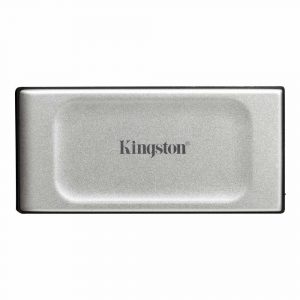
- Original price was: ₹24,000.₹16,369Current price is: ₹16,369. (Inclusive of GST) Brand: Kingston Add to cart
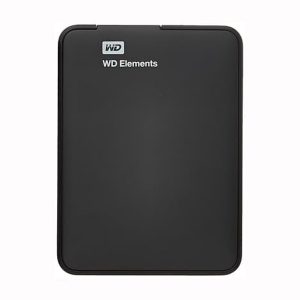
- Original price was: ₹28,000.₹18,929Current price is: ₹18,929. (Inclusive of GST) Brand: Western Digital (WD) Add to cart
Showing all 2 results
Why Buy Your External Storage from Ezpz Solutions?
We aren’t just a generic online tech catalog we are dedicated PC builders offering comprehensive Doorstep PC & Laptop Services right here in Mumbai. Buying an external drive is only the first step in data security; setting it up properly so you never lose a file is what truly matters. That is why we offer hands-on, local support to guarantee your digital life is completely protected.
Doorstep Backup Configuration in Mumbai: Bought a massive 4TB external hard drive but have no idea how to set up automated backups? We offer complete Home Software Installation and IT support across Mumbai and nearby areas. We will bring your new drive directly to your door and configure Windows File History or third-party backup software so your PC automatically saves your files in the background.
Data Migration & Recovery Assistance: Upgrading to a new laptop and need help moving hundreds of gigabytes of data? Our technicians can assist with seamless data transfers using your new high-speed portable SSD. If you are dealing with a failing internal drive, our Home PC Troubleshooting & Repair services can help safely extract your data onto your new external drive before the old one dies.
Complete System Health: A slow PC might not just be a storage issue. Alongside external data solutions, our technicians offer comprehensive checkups, hardware upgrades, and both Home PC Normal Cleaning and Home PC Deep Cleaning services to ensure your entire system runs smoothly.
100% Genuine & Data Secure: The market is flooded with counterfeit portable SSDs that fake their capacity and corrupt your files. Every single portable HDD and SSD we sell is 100% genuine, factory-sealed, and backed by a full official Indian warranty to protect your most valuable digital assets.
Frequently Asked Questions:
Should I buy a Portable SSD or a Portable HDD?
It depends on how you plan to use it:
Portable SSD (Solid State Drive): Buy this if you need speed and durability. SSDs have zero moving parts, meaning they can survive drops, bumps, and being tossed into a backpack. They are incredibly fast (often reaching 1,000 MB/s to 2,000 MB/s), making them perfect for transferring massive video files, running software directly from the drive, or expanding the fast storage of a laptop.
Portable HDD (Hard Disk Drive): Buy this if you need maximum capacity on a budget. HDDs use fragile spinning magnetic disks, so they must be handled with care and kept stationary. They are much slower than SSDs, but they are significantly cheaper, making them the absolute best choice for long-term archival backups (like storing 5TB of old photos or full system backups).
Can I install and play games from an External SSD?
Yes, but with some caveats! If you buy a high-quality portable SSD (like a Samsung T7 or SanDisk Extreme) and plug it into a fast USB 3.2 Gen 2 or USB4 port on your PC or laptop, you can absolutely install and play most PC games directly from it with minimal loading screens. However, modern consoles like the PlayStation 5 and Xbox Series X/S will only let you store new games on an external USB drive; to actually play the newest generation of console games, they must be transferred to the console’s internal NVMe SSD.
Why is my portable SSD copying files slower than advertised?
The speed of your portable SSD is limited by the weakest link in the chain. If you buy a blazing-fast drive capable of 2,000 MB/s but plug it into an old, standard USB 2.0 or basic USB 3.0 port on your computer, the drive will be physically bottlenecked by the port’s slower speed. To get the maximum advertised speeds, you must ensure you are plugging the drive into a modern USB 3.2 Gen 2×2, USB4, or Thunderbolt port, and using the high-quality cable included in the box.
Can I use a portable drive with both my Mac and Windows PC?
Yes, but you may need to format it first! Many external drives come pre-formatted for Windows (NTFS) or Mac (APFS). If you want to seamlessly plug the drive into both Mac and Windows computers and read/write files without any issues, you should format the drive to exFAT. This is a universal file system that both Apple and Microsoft operating systems understand perfectly.
