
Showing all 2 results
- Original price was: ₹70,769.₹40,019Current price is: ₹40,019. (Inclusive of GST) Brand: Adata Add to cart
- Original price was: ₹40,769.₹22,669Current price is: ₹22,669. (Inclusive of GST) Brand: Adata Add to cart
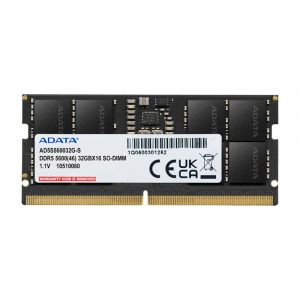
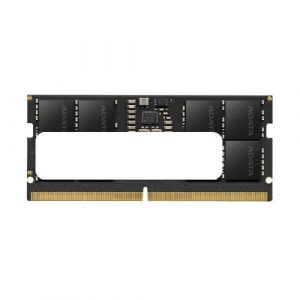
Showing all 2 results
Upgrade your laptop’s speed and multitasking performance with high-quality Laptop RAM, DDR4 and DDR5 laptop RAM from leading brands like Corsair, Crucial, Kingston, Adata, Samsung, and TeamGroup. Whether you’re a student, professional, gamer, or content creator, we offer the best RAM for laptops at discounted prices with fast delivery across India.
For budget-friendly upgrades, choose 8GB DDR4 2666MHz or 16GB DDR4 3200MHz laptop RAM from Crucial, Kingston, and Adata, ensuring smooth everyday performance. Mid-range users can enhance gaming and productivity with DDR4 3600MHz – 4266MHz or DDR5 4800MHz – 5600MHz modules, including Kingston Fury Impact, Corsair Vengeance, and TeamGroup Elite for better speed and efficiency.
For high-performance laptops, 32GB & 64GB DDR5 6000MHz – 6400MHz RAM from G.SKILL Ripjaws, Corsair Vengeance DDR5, and Crucial Pro deliver ultra-fast response times, overclocking support, and seamless AI computing for gamers, content creators, and workstation users.
Shop laptop RAM online in India at the best price with exclusive deals, EMI options, and official manufacturer warranties. Whether you need gaming laptop RAM, professional workstation memory, or a simple RAM upgrade, we offer genuine DDR4 and DDR5 laptop memory modules from trusted brands with secure checkout.
FAQs :
How do I know if my laptop supports DDR4 or DDR5 RAM?
Check your laptop’s specifications on the manufacturer’s website or use system diagnostic tools like CPU-Z. DDR4 and DDR5 RAM are not interchangeable due to different pin configurations.
How much RAM do I need for smooth laptop performance?
For basic tasks like web browsing and office work, 8GB is sufficient. For gaming, video editing, and multitasking, 16GB is recommended. Professionals working on heavy workloads may benefit from 32GB or more.
Can I upgrade my laptop’s RAM?
Yes, if your laptop has upgradable RAM slots. Some ultrabooks and MacBooks have soldered RAM, which cannot be upgraded. Check your laptop model to confirm.
What is the maximum RAM capacity my laptop can support?
The maximum RAM depends on your laptop’s motherboard and processor. Refer to your laptop’s manual or the manufacturer’s website to find out the supported RAM capacity.
Does upgrading RAM improve laptop speed?
Yes, adding more RAM allows better multitasking, reduces lag, and speeds up applications, especially in memory-intensive tasks like gaming, video editing, and programming.
What is the best RAM speed for laptops?
For DDR4 laptops, 2666MHz to 3200MHz is standard. For DDR5, speeds start at 4800MHz and can go higher depending on your laptop’s compatibility.
Can I mix different RAM brands or speeds in my laptop?
While possible, mixing RAM brands or different speeds may cause stability issues or force the system to run at the lowest speed. For best performance, use matching RAM sticks.
How do I check my laptop’s current RAM usage?
You can check RAM usage in Task Manager (Windows) under the “Performance” tab or Activity Monitor (Mac) under “Memory” to see how much RAM is in use.
What is the difference between SO-DIMM and DIMM RAM?
SO-DIMM (Small Outline Dual In-Line Memory Module) is used for laptops due to its compact size, while DIMM is used in desktops. They are not interchangeable.
Where can I buy genuine laptop RAM online in India?
You can purchase laptop RAM from trusted online retailers Ezpz Solutions offering brands like Crucial, Kingston, Corsair, G.SKILL, and Adata, with warranty and fast delivery.
