
Showing all 6 results
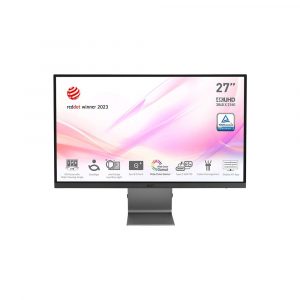
- Original price was: ₹43,000.₹23,529Current price is: ₹23,529. (Inclusive of GST) Brand: Msi Add to cart
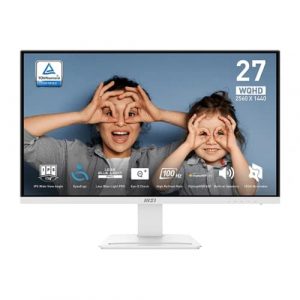
- Original price was: ₹25,000.₹12,469Current price is: ₹12,469. (Inclusive of GST) Brand: Msi Add to cart
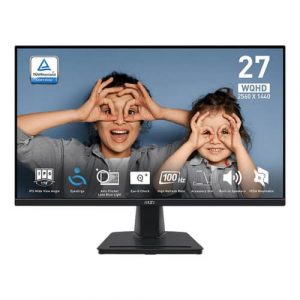
- Original price was: ₹35,999.₹17,069Current price is: ₹17,069. (Inclusive of GST) Brand: Msi Add to cart
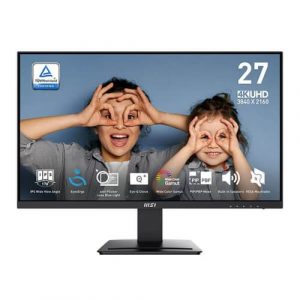
- Original price was: ₹20,999.₹13,569Current price is: ₹13,569. (Inclusive of GST) Brand: Msi Add to cart
- Original price was: ₹30,999.₹13,069Current price is: ₹13,069. (Inclusive of GST) Brand: Msi Add to cart
- Original price was: ₹32,699.₹18,469Current price is: ₹18,469. (Inclusive of GST) Brand: Msi Add to cart


Showing all 6 results
Why Buy Your Office Monitor from ezpz solutions?
We aren’t just a generic online tech catalog we are a dedicated PC hardware business offering comprehensive onsite IT and setup services right here in Mumbai. Setting up an ergonomic workspace is critical to preventing neck and eye strain, and outfitting an entire office floor requires logistical expertise. That is why we offer hands-on, local support to guarantee your home or corporate workspace is perfectly optimized.
Corporate Bulk Orders & Office Deployment: Opening a new startup office in Mumbai? We specialize in B2B hardware supply and deployment. We will deliver, unbox, and uniformly set up dozens of eye-care monitors across your entire office, ensuring every employee has an identical, highly productive workstation.
Onsite Ergonomic VESA Mounting: Factory monitor stands are often bulky and sit far too low, forcing you to slouch. Our Mumbai technicians will safely mount your new office displays to heavy-duty, gas-spring VESA arms. This allows you to pull, tilt, and raise the screen to the exact, mathematically perfect eye level, completely eliminating neck strain while instantly freeing up your desk space.
Eye-Care Software Calibration: Buying a Low Blue Light monitor is useless if the feature is not activated correctly. We will expertly configure your monitor’s On-Screen Display (OSD) settings, activate its proprietary reading modes, and set up Windows Night Light to ensure your screen is perfectly tuned to protect your retina during late-night work sessions.
Dual-Monitor Alignment: Using two screens for massive Excel spreadsheets? We will handle the entire dual-monitor setup, mounting them perfectly side-by-side with zero gap, routing the cables cleanly out of sight, and color-matching both panels so your eyes transition seamlessly between them.
Frequently Asked Questions:
What makes an “Office Monitor” different from a Gaming or Designer Monitor?
Office monitors prioritize comfort, ergonomics, and long-term reliability over extreme speed or absolute color perfection. While a gaming monitor focuses on blazing-fast 240Hz refresh rates and a designer monitor uses incredibly expensive panels for exact print-color accuracy, an Office Monitor focuses on hardware-level eye-care technologies, matte anti-glare coatings to fight harsh office lighting, and highly adjustable stands to promote good posture during a 10-hour shift.
What do “Flicker-Free” and “Low Blue Light” actually do?
These are critical, medical-grade technologies designed to prevent Computer Vision Syndrome (CVS):
Flicker-Free: Standard, budget monitors control their brightness by turning the LED backlight on and off thousands of times per second. Your eyes cannot consciously see the flicker, but your brain registers it, causing rapid eye fatigue and tension headaches. Flicker-Free monitors use a constant direct current (DC) to completely eliminate this microscopic strobing.
Low Blue Light: Standard LED screens emit harsh, short-wave blue light that strains the retina and disrupts your sleep cycle (melatonin production). Low Blue Light monitors filter out these harmful wavelengths, warming the image slightly to make reading black text on a white background feel as comfortable as reading physical paper.
Do I need a 4K monitor for Word, Excel, and Web Browsing?
No, 4K is generally overkill for basic office work. If you buy a 27-inch 4K monitor strictly for reading text, the raw pixel density will be so incredibly high that the text and icons will look microscopically small. You will be forced to use Windows Display Scaling (often scaling it up to 150%), which can occasionally cause older legacy office applications to look blurry.
For a 24-inch screen, 1080p (FHD) is the perfect resolution.
For a 27-inch screen, 1440p (QHD) is the undisputed “sweet spot” for incredibly sharp, perfectly sized text.
Is a 27-inch monitor too big for an office desk?
Not at all! In fact, a 27-inch monitor running at a 1440p resolution is currently considered the ultimate productivity upgrade. It provides exactly enough physical width to comfortably snap two full-sized applications (like a web browser and a Word document) side-by-side without feeling cramped, effectively replacing a dual-monitor setup. Just ensure your desk is at least 60cm deep so you aren’t sitting too close to the screen.
