
Showing all 7 results
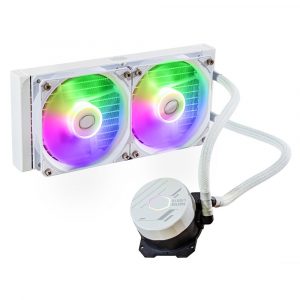
- Original price was: ₹11,599.₹6,179Current price is: ₹6,179. (Inclusive of GST) Brand: Cooler Master Add to cart
- Original price was: ₹12,999.₹6,089Current price is: ₹6,089. (Inclusive of GST) Brand: Deepcool Add to cart
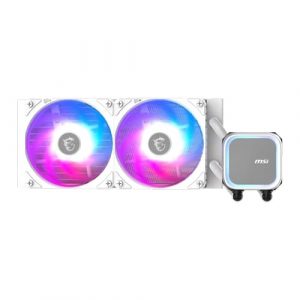
- Original price was: ₹7,999.₹5,879Current price is: ₹5,879. (Inclusive of GST) Brand: Msi Add to cart
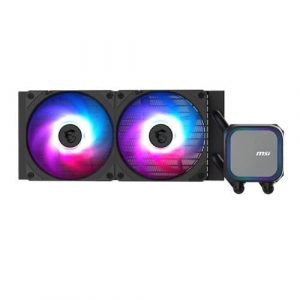
- Original price was: ₹7,999.₹5,739Current price is: ₹5,739. (Inclusive of GST) Brand: Msi Add to cart
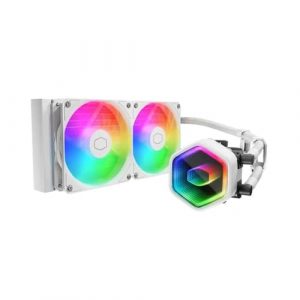
- Original price was: ₹11,999.₹6,309Current price is: ₹6,309. (Inclusive of GST) Brand: Cooler Master Add to cart
- Original price was: ₹13,899.₹6,339Current price is: ₹6,339. (Inclusive of GST) Brand: Ant Esports Add to cart
- Original price was: ₹8,999.₹5,429Current price is: ₹5,429. (Inclusive of GST) Brand: Ant Esports Add to cart

Showing all 7 results
Why Buy Your 240mm AIO from ezpz solutions?
We aren’t just a generic online tech catalog we are a dedicated PC building business offering comprehensive onsite services right here in Mumbai. Installing a liquid cooler introduces a massive amount of wiring complexity to your build. Furthermore, mounting the radiator in the wrong orientation can trap air bubbles in the pump, causing a loud rattling noise and destroying the cooler. That is why we offer hands-on, local support to guarantee your AIO is installed flawlessly.
Onsite AIO Installation & Orientation in Mumbai: Terrified of accidentally destroying your new liquid cooler by mounting it upside down? We offer complete onsite PC building and hardware installation across Mumbai. Our technicians will bring your new 240mm AIO directly to your door, mount the radiator in the optimal top-exhaust position to ensure maximum pump lifespan, and verify that your system runs completely silently under heavy gaming loads.
The RGB Wiring Experts: A dual-fan 240mm liquid cooler often comes with a terrifying web of power cables, RGB headers, and fan controller hubs. Our Mumbai team will expertly route and hide every single cable behind your motherboard tray, perfectly syncing the customizable RGB lighting and LCD pump displays with your system software for a pristine, flawless look.
Case Compatibility Checks: While a 240mm radiator fits in most cases, tall motherboard VRM heatsinks or high-profile RGB RAM can sometimes block a top-mounted installation. Before you purchase, our experts will verify your exact chassis dimensions and motherboard clearances to ensure the radiator fits perfectly without dangerous collisions.
System Repairs & Deep Cleaning: To push air through a dense 240mm radiator, your fans must be completely clear of obstruction. Alongside hardware upgrades, we specialize in comprehensive PC repairs and onsite deep cleaning. We will safely blast the thick dust out of your radiator fins, ensuring your fluid runs ice-cold for years to come.
Frequently Asked Questions:
Why is the 240mm AIO considered the “sweet spot” for PC building?
It all comes down to universal compatibility and price-to-performance. A 240mm radiator (which uses two standard 120mm fans) is designed to fit comfortably at the top or front of almost every standard Mid-Tower PC case ever manufactured. It provides a massive leap in cooling performance over stock air coolers easily handling 90% of popular gaming processors without the extreme premium price tag or giant space requirements of a massive 360mm AIO.
Can a 240mm Liquid Cooler handle an Intel Core i9 or AMD Ryzen 9?
For standard 4K gaming, yes, but for heavy rendering, we do not recommend it. Flagship processors like the Core i9 or Ryzen 9 pull massive amounts of wattage and generate extreme heat when pushed to 100% load during video editing or 3D rendering. A 240mm radiator simply lacks the physical surface area and liquid volume to absorb that much sustained heat, and the CPU will likely thermal throttle. If you are buying a flagship processor, you should strongly consider upgrading to a larger 360mm or 420mm liquid cooler.
Where is the best place to mount my 240mm radiator?
The absolute best and safest orientation is top-mounted, acting as an exhaust. This pushes the hot air from the CPU directly out the roof of your case. Crucially, top-mounting ensures that the pump block on your CPU is always physically lower than the radiator. This prevents any tiny air bubbles inside the closed loop from getting trapped in the pump mechanism, ensuring completely silent operation and a long lifespan.
Do I need to buy extra fans for a “Push/Pull” configuration?
For a 240mm AIO, no. A standard “Push” configuration (where the two included fans push air through the radiator fins) is more than enough to achieve excellent temperatures. Adding two extra fans to the other side to pull the air through will only drop your temperatures by about 1 to 2 degrees Celsius, but it will take up a massive amount of space inside your case and add significantly more wiring clutter.
